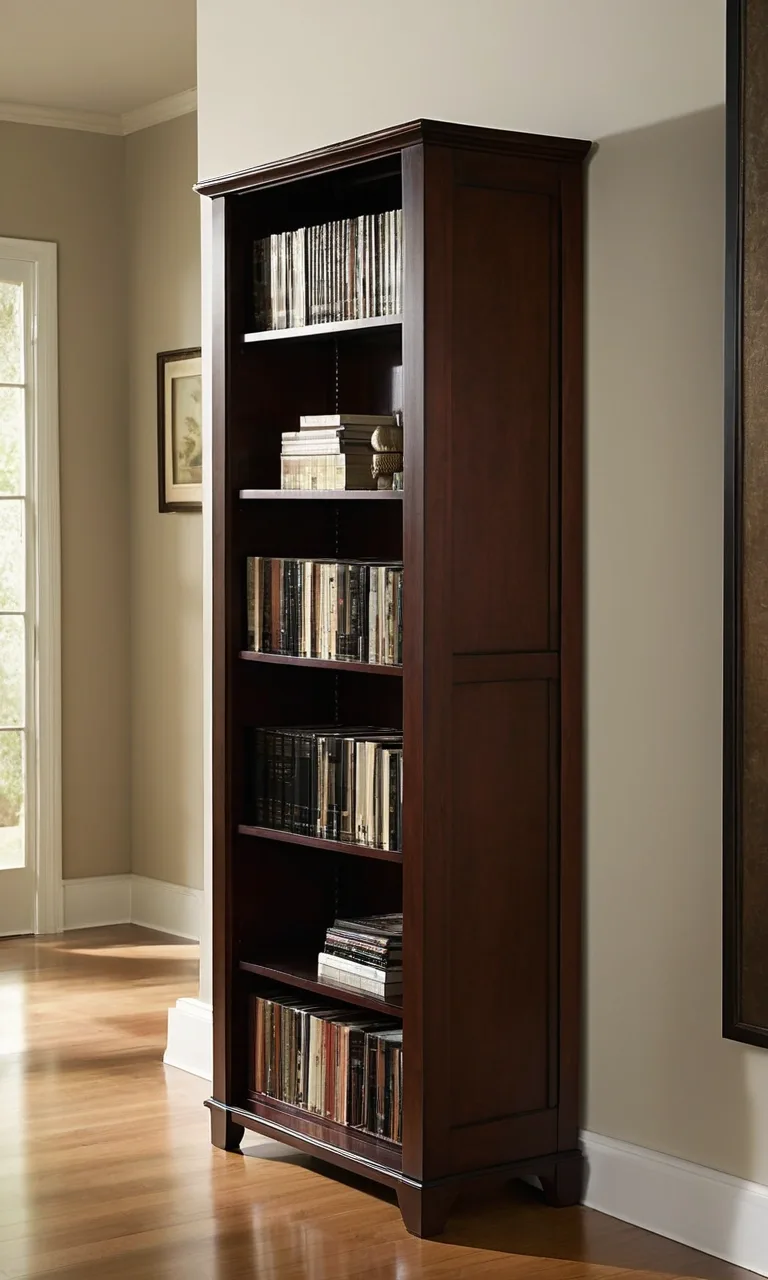
18 Charging Station Storage Ideas for 2026

Phones, tablets, wireless earbuds, smartwatches, and other everyday gadgets can quickly turn a tidy room into a tangle of charging cables. A well-planned charging station gives every device a designated place, keeps cords manageable, and makes it easier to grab fully charged electronics when you need them. Whether you have a spacious home office or a small bedside table, these charging station storage ideas can help you create a practical setup that fits your space and routine.
How Do You Organize Multiple Phone Chargers in One Place?
Start by gathering all your charging cables, adapters, and devices in one spot. Check which chargers work with your current electronics, remove damaged cords from use, and group the remaining accessories by connector type or device. This simple inventory prevents duplicate purchases and helps you determine how much storage you actually need.
Next, choose a central location that household members can access easily. A drawer organizer, charging dock, or small shelf can keep devices together without making the area look cluttered. Use cable clips, labeled ties, or individual compartments to distinguish between chargers.
If several people share the station, assign each person a specific space or label. Make sure the power strip or charging hub has enough capacity for the devices being used, and avoid stacking heat-producing electronics in enclosed spaces. A little planning makes the station easier to maintain and reduces the daily frustration of searching for the right cable.
1. Hub Charging
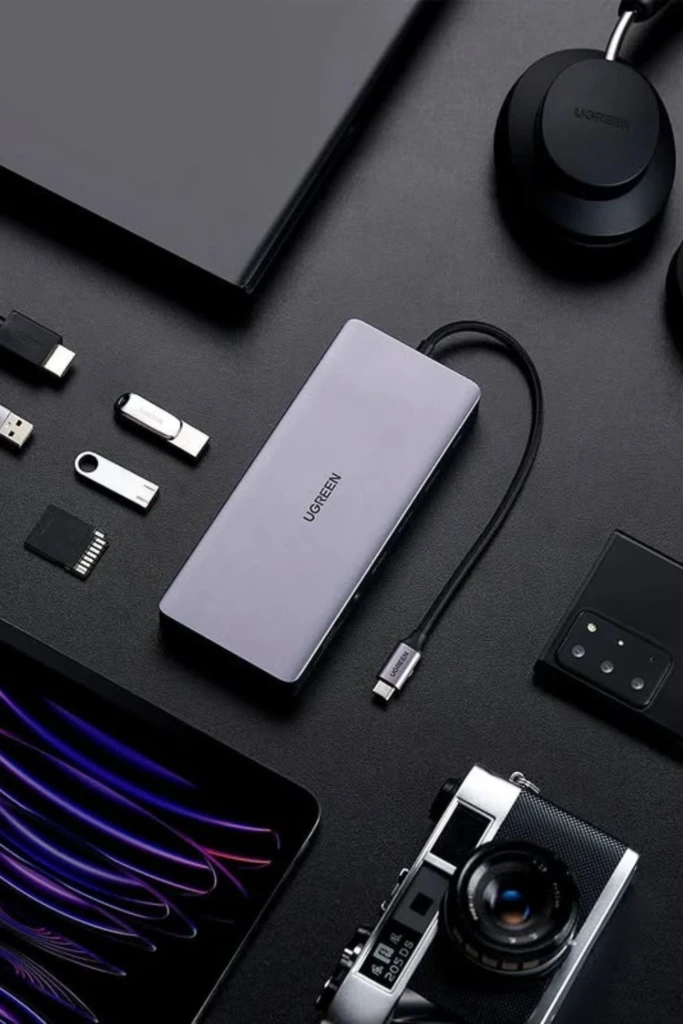
A multiport USB charging hub is an excellent choice for households with several electronic devices. Instead of plugging individual adapters into multiple outlets, you can connect compatible phones, tablets, earbuds, and other gadgets to one central power source.
Place the hub on a desk, console table, or dedicated shelf near a suitable outlet. Use a docking organizer with separate slots to keep devices upright while charging. Short cables help prevent excess cord from spilling across the surface, while small labels make it easier to identify each connection.
Before purchasing a hub, check its total power output and the requirements of your devices. Some tablets and laptops need more power than basic phone chargers provide. Choose a reputable product with appropriate safety protections, and avoid exceeding its rated capacity.
2. Drawer Charging
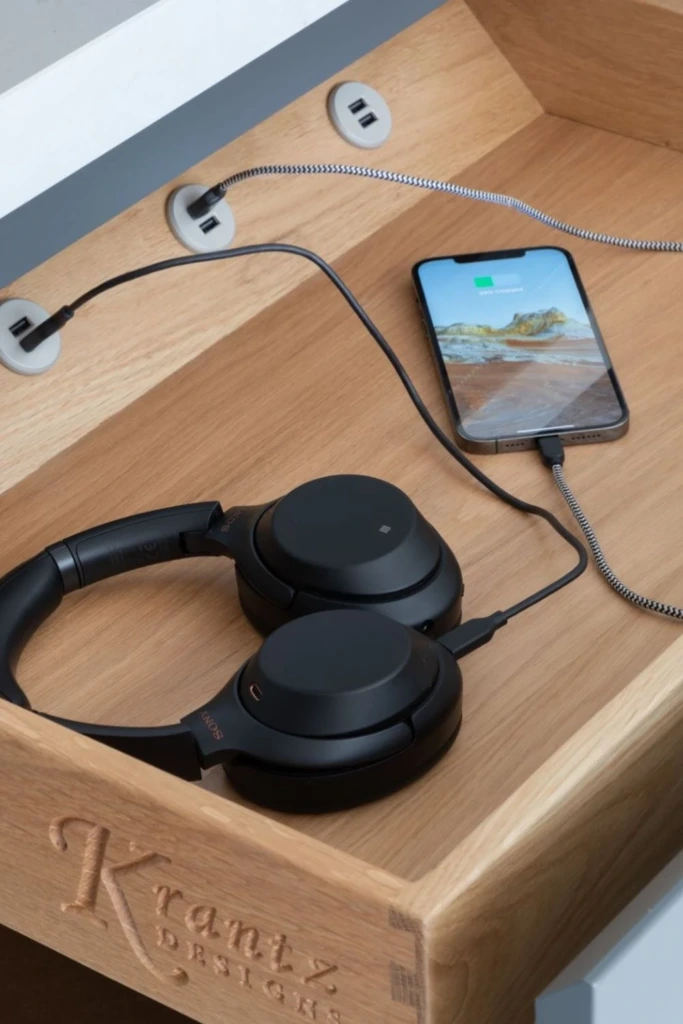
Turning a drawer into a charging station is a smart way to keep electronic accessories out of sight. It works particularly well in bedrooms, home offices, and living rooms where visible cables can make furniture look messy.
Choose a drawer with enough room for your devices, cables, and charging accessories. Add removable dividers or small storage bins to separate each person's electronics. If you want to charge devices inside the drawer, arrange the power equipment carefully and make sure the drawer does not become cramped or trap heat.
Keep ventilation in mind when planning this setup. Do not charge batteries inside a tightly enclosed drawer unless the charging equipment and furniture are specifically designed for that use. A safer alternative is to use the drawer for storing accessories and charge devices on the open surface above it.
3. Shelf Organizer
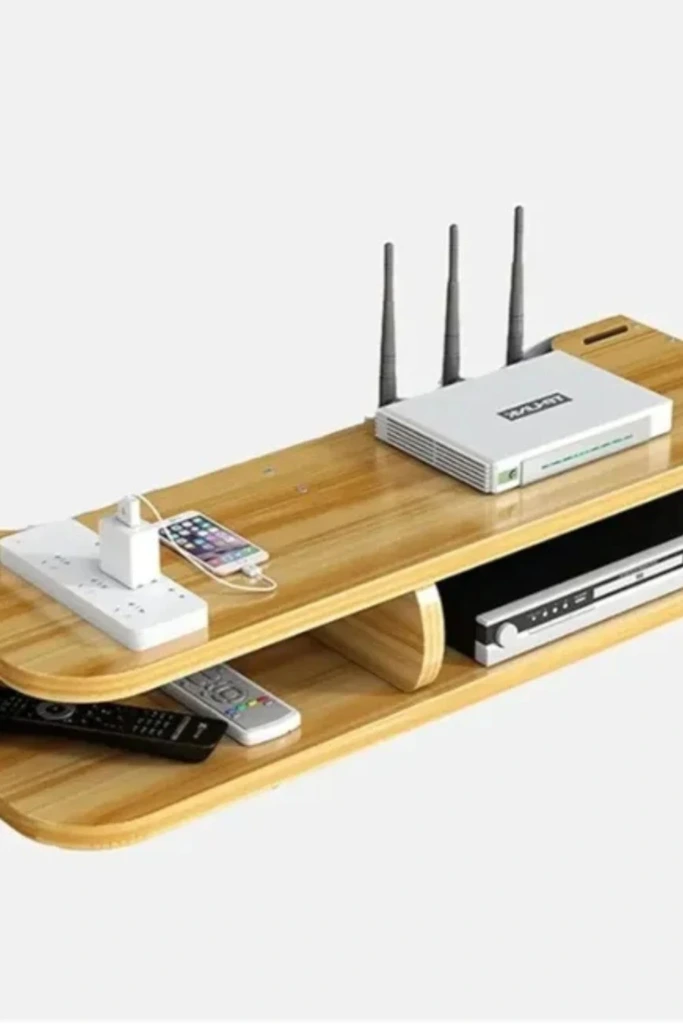
A dedicated shelf creates a convenient home for electronics without taking up valuable desk or countertop space. You can use an existing bookcase, a small floating shelf, or a compact freestanding unit to hold charging equipment.
Arrange devices on one level and keep power accessories in labeled containers nearby. If multiple family members use the station, give each person a separate section. Small baskets can hold spare cables, adapters, and power banks, while cable clips along the shelf edge keep cords from falling behind the furniture.
For a clean appearance, select a shelf close to an outlet and route cables neatly along the wall. Make sure the shelf is securely mounted if it is intended to support several devices. Keep heavy equipment stable and avoid positioning electronics where they could easily be knocked onto the floor.
4. Charging Dock
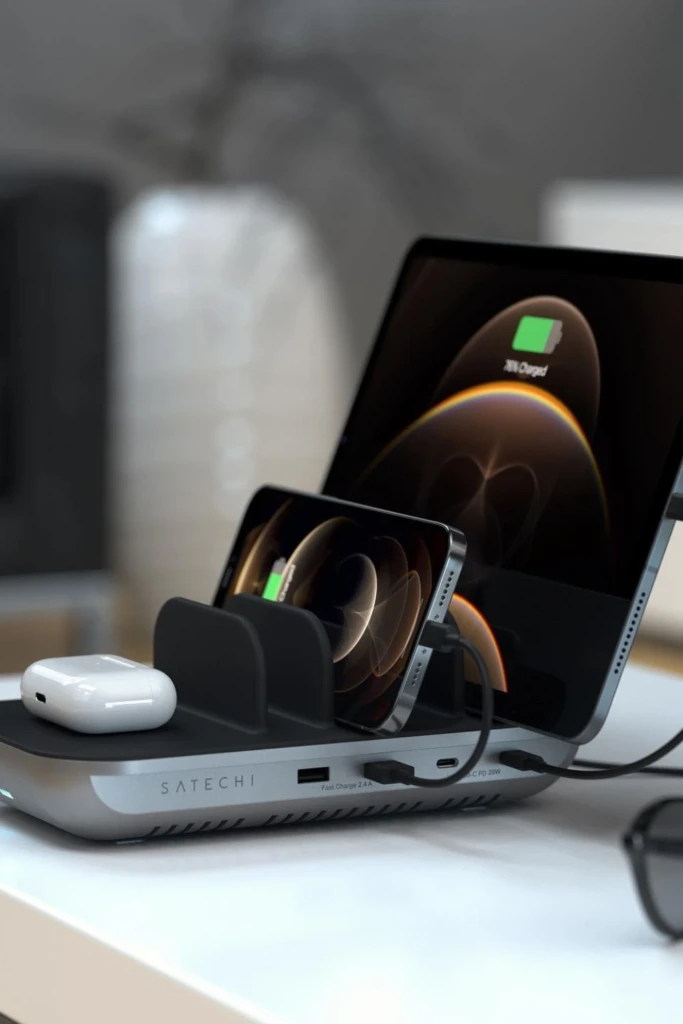
A charging dock combines device storage with convenient access to power. Depending on the design, it may hold several phones, a smartwatch, wireless earbuds, or other small electronics in separate compartments.
Look for a dock that accommodates your actual devices rather than choosing one based only on appearance. Check whether it includes charging cables, built-in connectors, or wireless charging pads. Compatibility matters because not every dock supports every phone model or charging standard.
A dock placed on an entryway console or bedside table makes it easy to return devices to the same location after use. Choose a design with a stable base and enough space between devices to prevent them from knocking against one another. Keeping the cables organized underneath or behind the dock will make the entire station look more polished.
5. Stand Charger
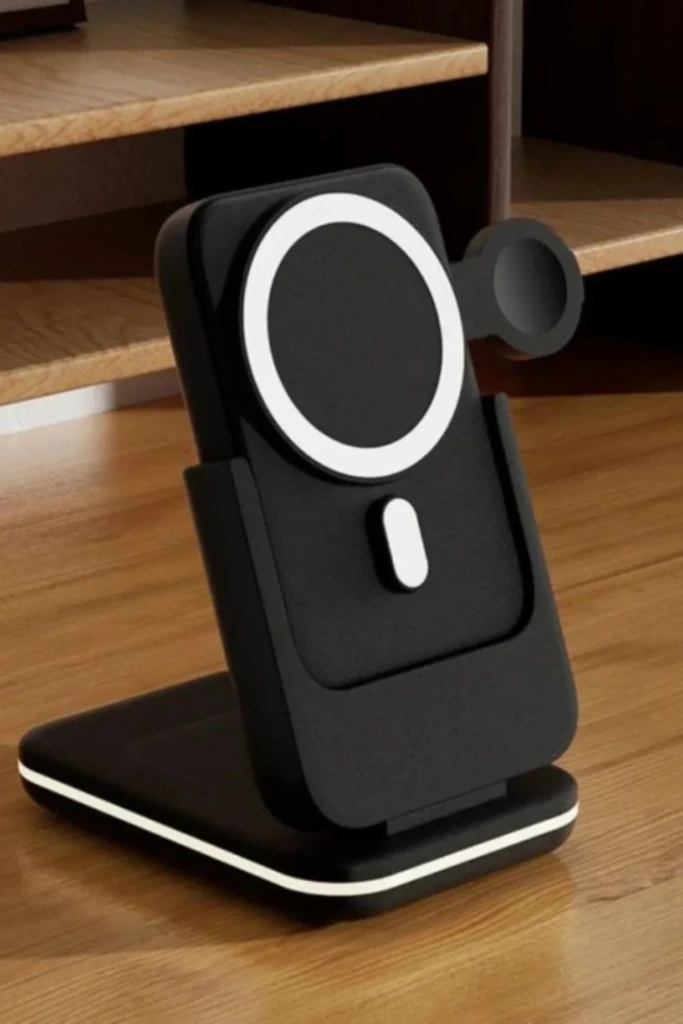
A stand charger holds a phone at a comfortable viewing angle while it charges. This can be especially useful on a work desk, kitchen counter, or bedside table where you may want to check notifications without picking up the device.
Some stands support wireless charging, while others simply hold the phone and require a cable. Select a model that works with your phone's charging method and case thickness. If you use a wireless charging stand, position the phone correctly on the charging surface and confirm that the case does not interfere with charging.
A stand also keeps the phone from lying flat among notebooks, keys, and other desk items. Choose a design with a nonslip base and a cable guide so the cord stays in place when you remove the phone. For shared spaces, consider a stand with an adjustable angle that works for both portrait and landscape viewing.
6. Alarm Charger
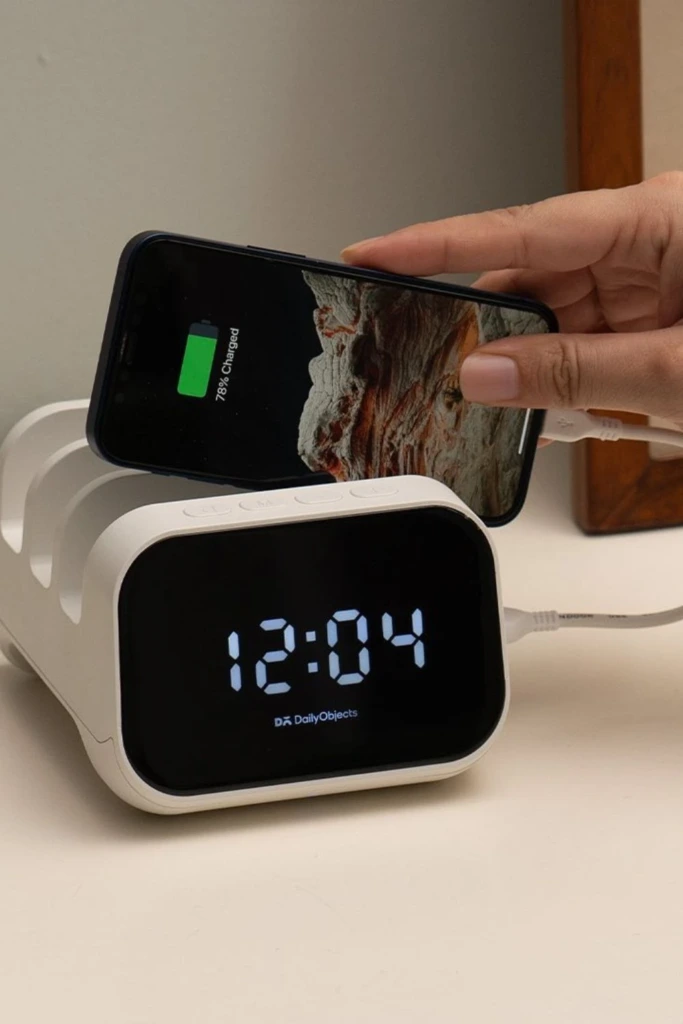
An alarm clock with a built-in charging feature can simplify a nightstand by combining two everyday functions in one accessory. Depending on the model, it may include a USB port, a wireless charging pad, or a dedicated charging area for compatible devices.
This arrangement reduces the need for separate accessories and gives your phone a consistent place to stay overnight. Look for clear clock controls, a display brightness setting that suits your bedroom, and charging specifications that match your phone.
Keep the clock and charging equipment on a stable, uncluttered surface. Avoid covering the charger with bedding or placing objects on top of devices that may become warm. If you rely on your phone as an alarm, confirm that its battery is charging properly and that the alarm settings remain active before going to sleep.
7. Travel Charging

A portable charging kit keeps your essential electronics organized when you leave home. Rather than packing loose cables into different bags, collect your everyday charging accessories in one compact pouch.
Use a zippered cable organizer with elastic loops or separate compartments for charging leads, wall adapters, earbuds, and small accessories. A dedicated pocket can hold a compatible power bank, while a small label or color-coded tie helps you identify each cable quickly.
Before traveling, check that your adapters support the devices you plan to bring. If you are traveling internationally, verify the destination's plug type and voltage requirements for your equipment. Keep power banks in your carry-on baggage and follow the airline's current battery-capacity and carriage rules.
When you return home, put the kit back in its designated location and recharge the power bank if necessary. This makes the next trip easier to prepare for and prevents useful accessories from disappearing into random drawers.
8. Cable Rack
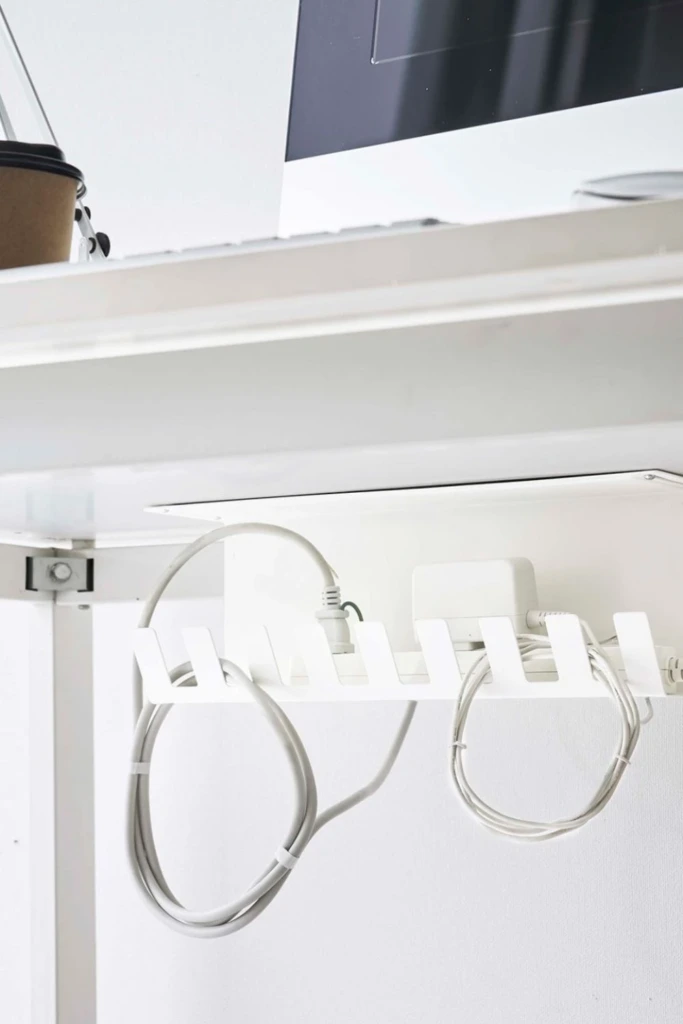
A cable rack is a simple solution for preventing charging cords from becoming tangled or slipping behind furniture. It can be installed on the edge of a desk, inside a cabinet, or on a nearby wall, depending on the design.
Choose a rack with slots wide enough for your cable connectors. Position it close to the devices you charge most often so you can reach the ends without stretching the cords. Adhesive cable holders work well on suitable smooth surfaces, while screw-mounted options may be more secure for heavier use.
Assign a slot to each frequently used cable and remove leads that are no longer needed. Leave enough slack for convenient use, but avoid winding cords tightly around small hooks. Regularly inspect cables for fraying, damaged insulation, or bent connectors, and replace damaged ones instead of continuing to use them.
9. Wall Holder
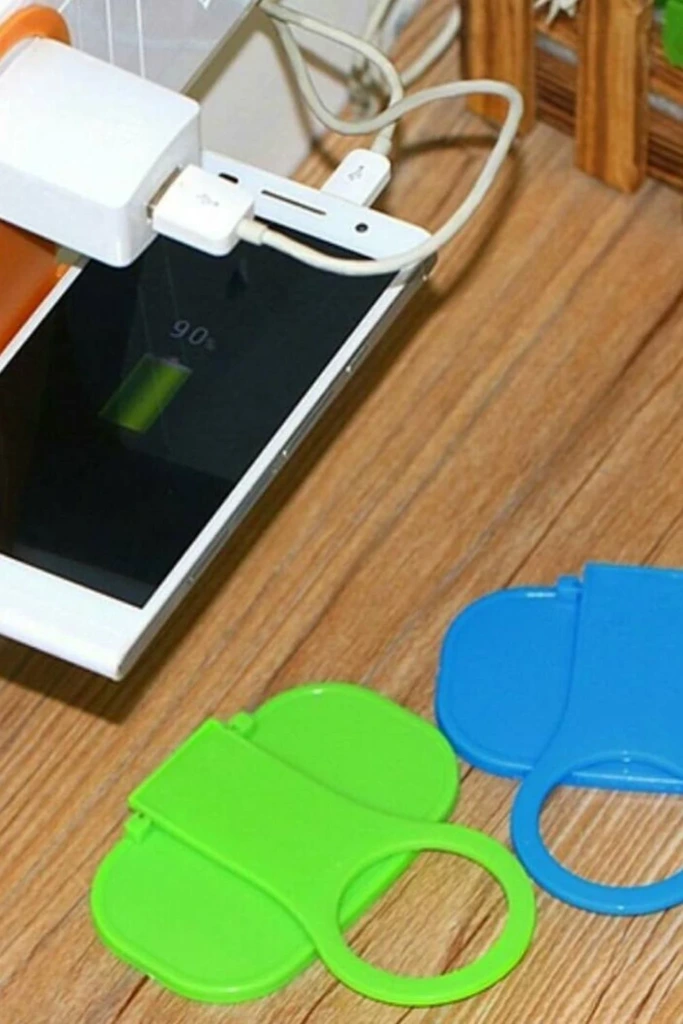
A wall-mounted charging holder frees up desk and countertop space while keeping small electronics in one predictable location. Depending on its design, it may include a phone pocket, cable clips, or a small ledge for charging accessories.
Install the holder near an appropriate power outlet and at a height that makes devices easy to place and retrieve. Make sure the mounting method suits the wall material and the weight of the items you intend to store. A phone holder should be stable enough to support the device without tipping or pulling away from the wall.
For a family charging area, use separate compartments or labeled sections to prevent mix-ups. Keep cords routed neatly along the wall, and avoid running them where doors, furniture, or foot traffic could damage them.
If you rent your home, removable mounting products may be useful, provided the wall surface and the holder's weight are suitable for adhesive installation.
10. Desk Basket
A small basket can turn an ordinary desk corner into a flexible charging station without requiring specialized furniture. It is especially useful if you regularly charge different devices or prefer an arrangement that can be moved when needed.
Choose a basket large enough for the items you use daily, but not so deep that devices become buried. Add small dividers or individual pouches for charging adapters, spare cables, and earbuds. Keep the devices themselves on an open, stable surface while charging rather than piling them into the basket.
A basket with handles is easy to move during desk cleaning, and a design with openings can help keep accessories accessible. If you use a cable pass-through, make sure the cords are not pinched or pulled tightly against the edges.
For a coordinated appearance, match the basket to your desk accessories or room decor. The goal is to contain loose items while keeping the equipment you need most within easy reach.
11. Cable Case
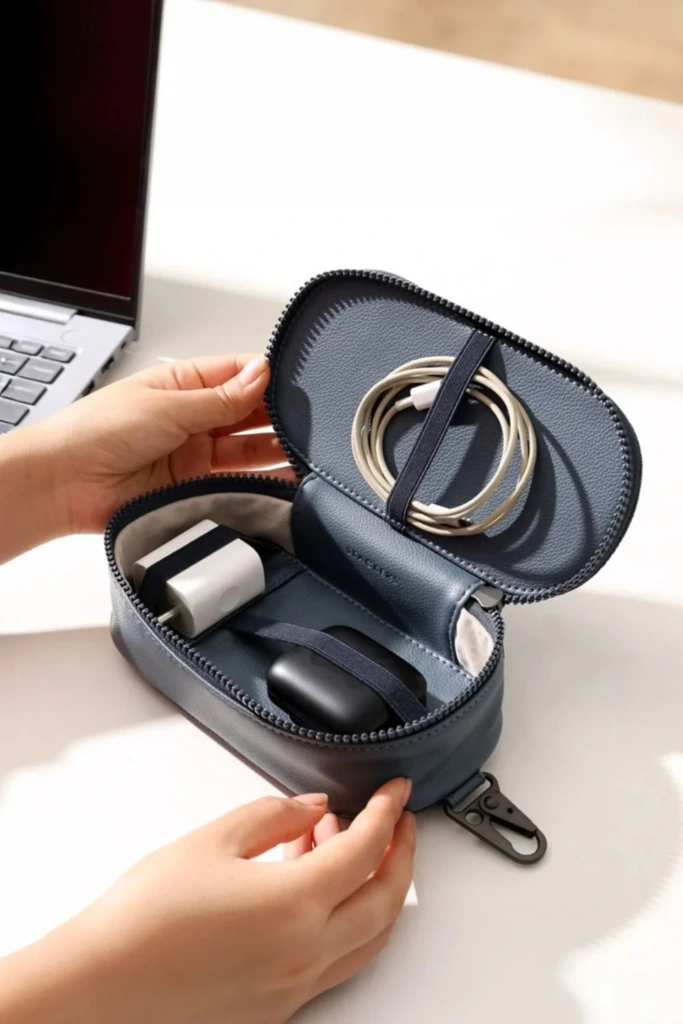
A cable case is ideal for storing spare charging leads, adapters, and small electronics accessories that are not always connected to power. It works well in a home office, bedroom drawer, or travel bag.
Select a case with elastic loops, mesh pockets, or adjustable compartments so cables remain separate instead of forming one tangled bundle. Store short cables together and place larger adapters in sections with enough room to prevent pressure on the connectors.
You can label compartments by device type or connector standard, making it easier to find the right accessory. Keep unused cables coiled loosely, and avoid wrapping them tightly around adapters or bending them sharply at the plug.
Use the case primarily for storage rather than charging. Once a device needs power, remove the necessary accessories and connect them in an appropriate charging area. This keeps the case tidy and prevents it from becoming overloaded with electronics in use.
12. Charging Tray

A charging tray offers a neat, contained place for phones, earbuds, smartwatches, and other small devices. It can sit on a console table, dresser, office desk, or nightstand, making it a versatile option for nearly any room.
Choose a tray with raised edges to prevent devices from sliding off and enough room to separate items. A wooden or decorative tray can blend with your furniture, while a tray with built-in cable channels provides a more functional setup.
You can place a charging pad or compact dock inside the tray if there is sufficient room for proper ventilation and cable routing. Keep heavier adapters outside the device area when possible, and avoid crowding the tray with keys, coins, or other objects that could scratch screens or interfere with wireless charging.
A tray works best when every device has a designated position. Returning items to those spaces after use helps maintain order and makes it easier to see which devices are still charging.
13. Lamp Charger

A lamp with a built-in charging feature can reduce the number of separate accessories on a desk or bedside table. Some designs include USB ports in the base, while others incorporate wireless charging into the lamp's base or stand.
This combination is particularly useful in small rooms where every inch of surface space matters. You can keep a reading light and a charging point in the same location without adding another standalone device.
Before buying one, check the lamp's charging specifications, port output, and compatibility with your electronics. A USB port intended for low-power accessories may not provide the fastest charging for a modern phone or tablet.
Keep the lamp stable and arrange its power cord so it does not cross a walkway or hang where it could be pulled. Leave adequate space around the charging area, and follow the manufacturer's instructions for both the lamp and charging components.
14. Charging Nightstand

A charging nightstand provides a permanent home for the devices you use before bed and first thing in the morning. Models with drawers, shelves, cable openings, or built-in power outlets can make bedside organization much easier.
If you already own a nightstand, you can create a similar setup with a small dock, a cable organizer, and a dedicated drawer for spare accessories. Keep your phone and frequently used devices on the top surface, while storing extra charging leads and adapters separately.
Look for a location close to a suitable wall outlet so cables do not need to stretch across the floor. If the furniture includes built-in electrical components, check the product's safety information and installation requirements before use.
Avoid placing charging devices beneath blankets or inside closed drawers where heat can accumulate. A clear bedside surface also leaves room for essentials such as a lamp, glasses, or a book without creating a crowded tangle of electronics.
15. Pegboard Station
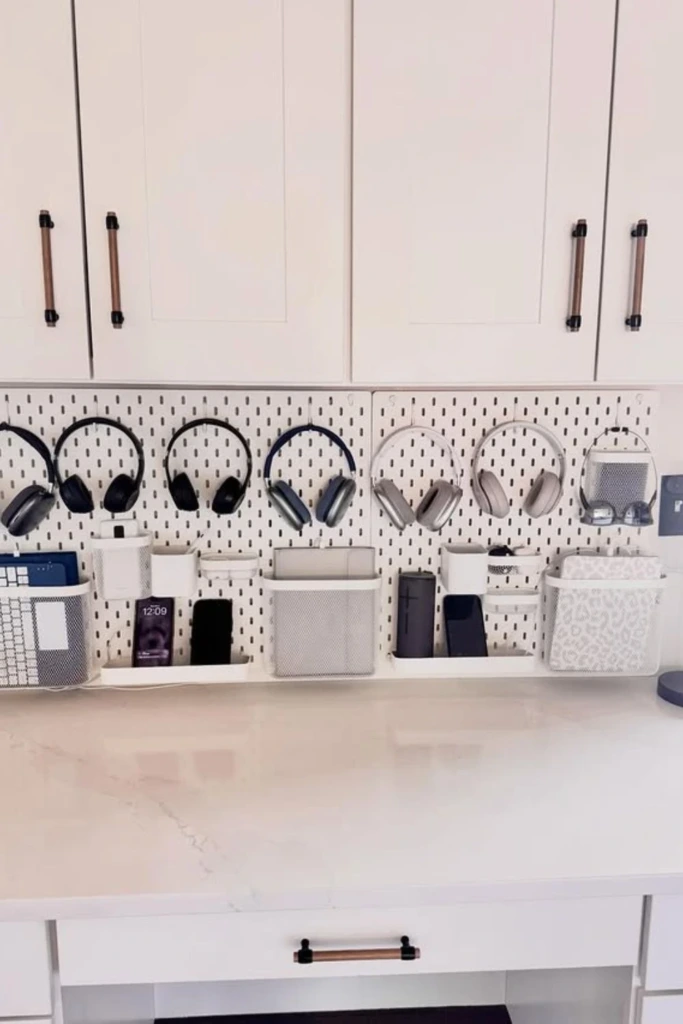
A pegboard charging station makes use of vertical space and allows you to customize storage as your needs change. It is particularly effective in home offices, craft rooms, workshops, and shared family areas.
Mount a pegboard securely and add suitable hooks, small shelves, cable holders, or accessory cups. Use one section for charging leads, another for headphones, and a shelf for lightweight devices or adapters. Labels can help different household members find their equipment without moving everything around.
For charging, position compatible docks or shelves where cords can reach an appropriate power source without being stretched. Keep heavier devices on supports designed to carry their weight, and do not hang electrical adapters in a way that puts strain on their plugs or sockets.
A pegboard is easy to reconfigure when you add new electronics. By keeping accessories visible and separated, it also helps you spot missing cables and identify items that no longer need a place in your daily setup.
16. Headphone Hook
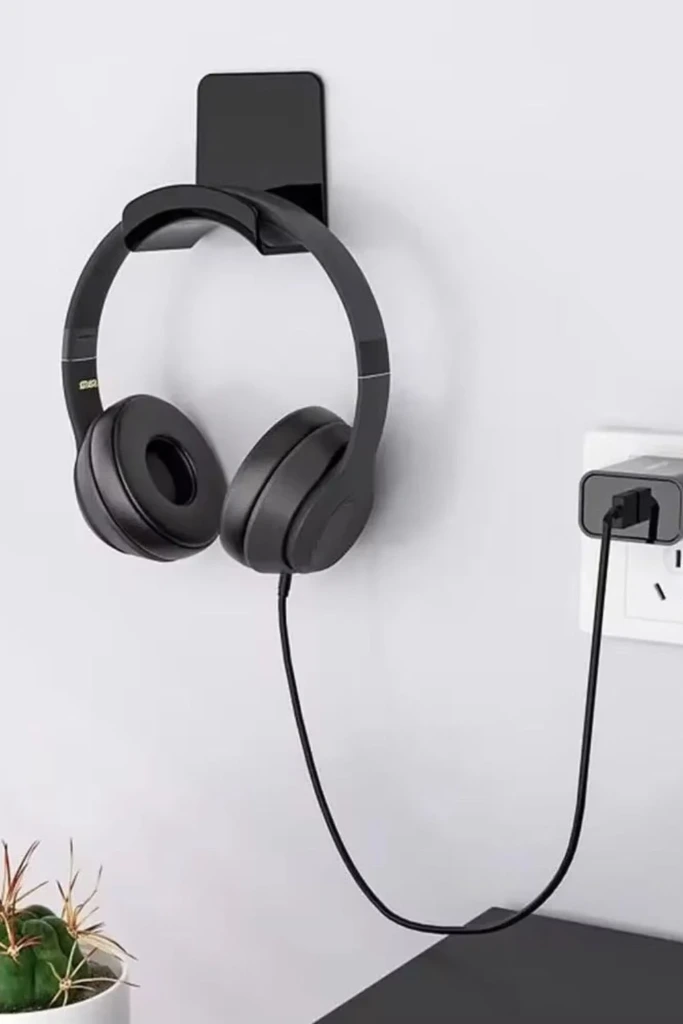
Headphones often occupy more desk space than expected, especially when their cables or charging leads are left loose. A dedicated hook keeps them off the work surface and makes them easy to grab.
You can attach a headphone hook beneath a desk, mount one on a wall, or use a freestanding holder beside your charging station. Choose a shape that supports the headband without placing excessive pressure on its padding. For wireless headphones, position the holder close enough to the charging cable or dock for convenient access.
If you also store wired headphones, add a separate cable clip to keep the cord from dangling. Avoid wrapping cables tightly around the hook, as repeated bending can cause wear.
For a more organized arrangement, place the headphone holder beside your laptop or monitor and reserve a nearby drawer or pouch for earbuds. Keeping audio accessories together makes it easier to switch between devices without searching through loose cables.
17. Cable Box
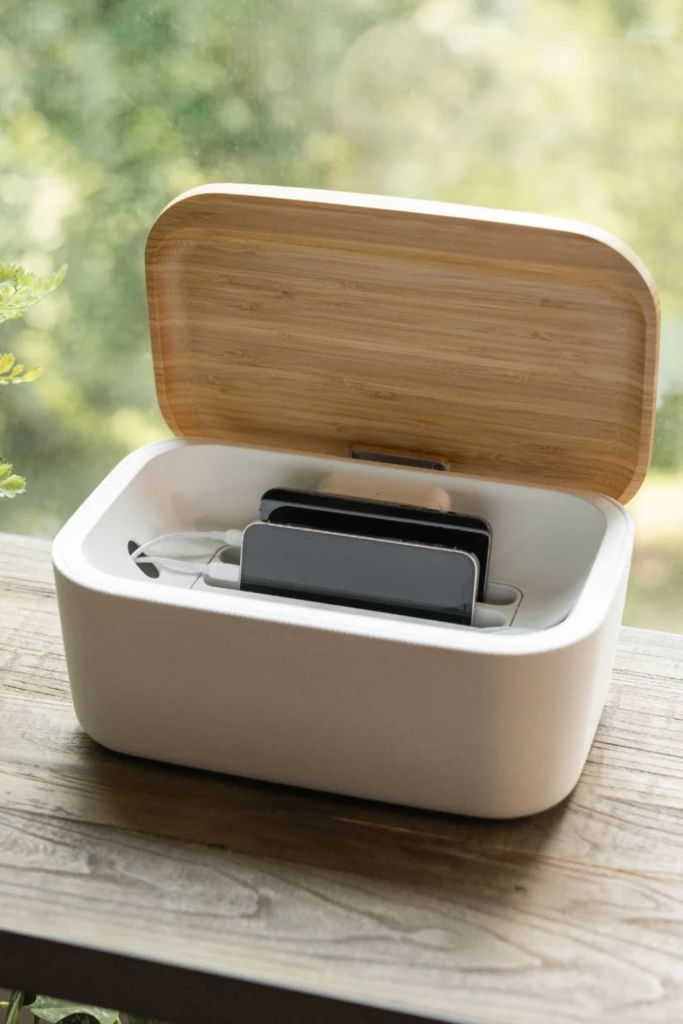
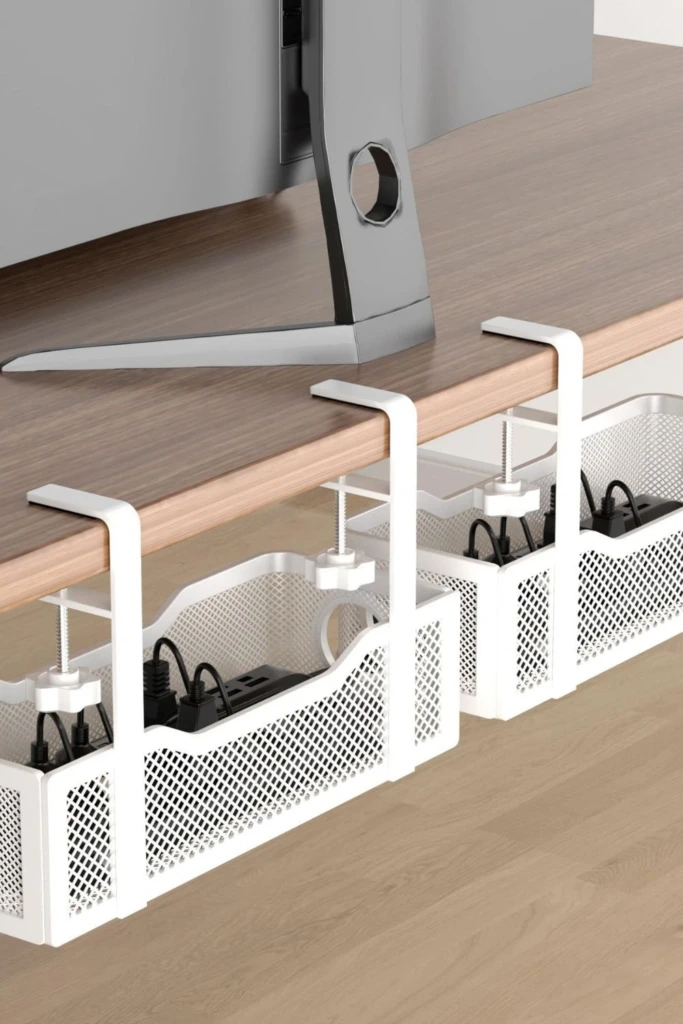
A cable management box conceals excess wiring and can make a charging area look much cleaner. It is useful beneath desks, behind television consoles, or beside a home charging hub where several cords meet.
Choose a box large enough for the power strip and cable slack you need to manage. Openings on the sides or ends allow cords to enter and exit without being sharply bent. A lid helps hide the wiring, while a neutral finish can blend with nearby furniture.
Safety should guide your choice and placement. Use a box designed for electrical cable management, follow its ventilation instructions, and never overload the power strip inside. Avoid enclosing equipment that produces significant heat unless the enclosure is specifically rated for that purpose.
Keep the box accessible so you can disconnect devices, inspect connections, and remove dust when needed. A cable box should organize wiring rather than permanently seal electrical equipment away from inspection.
18. Monitor Stand
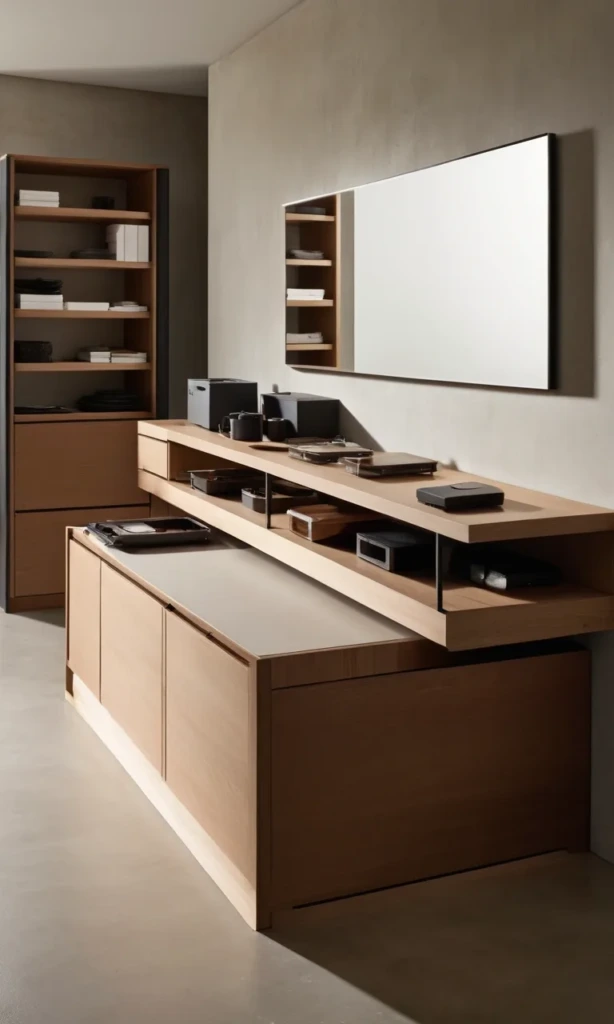
A monitor stand with storage space underneath can create a compact charging area on a crowded desk. Raising the screen also frees up room for a keyboard, notebook, or small organizer, making the entire workspace feel more intentional.
Use the space beneath the stand for a charging dock, phone, or small accessory tray, provided there is sufficient airflow and the devices remain easy to reach. Some monitor stands include drawers or compartments for spare cables, USB adapters, and earbuds.
If you charge a phone wirelessly, make sure the stand's material and construction allow the charging pad to work properly. Keep the phone away from metal objects that could interfere with charging, and avoid placing devices where the monitor stand's weight could press on them.
Choose a stand rated for the weight of your monitor and any accessories it supports. Route the cables behind the desk with clips or a cable sleeve, leaving enough slack to adjust your monitor without pulling on connections.
FAQs
A practical charging station should make everyday charging easier, not introduce another complicated system to maintain. The right setup depends on how many devices you own, where you use them, and how much space you have available.
For most homes, the best approach is to combine a convenient charging location with simple cable management and clearly defined storage areas. You do not need an expensive organizer to achieve this; a suitable tray, a few cable clips, and a reliable charging hub can be enough.
Where is the best place to create a charging station at home?
The best location is somewhere convenient, close to an appropriate power outlet, and easy to keep organized. A home office desk works well for devices used throughout the day, while a bedside table is ideal for phones and smartwatches used overnight. An entryway console can serve as a central drop-off point for family phones and other small electronics.
Choose the location based on your household's daily habits. If several people need to charge devices at the same time, a shared shelf or dedicated counter may be more practical than a small nightstand.
Make sure the area is dry, stable, and away from excessive heat or direct sunlight. Avoid placing charging equipment where it could be splashed, stepped on, or knocked to the floor. If children or pets are present, position cords and electrical accessories to reduce the risk of pulling, chewing, or accidental contact.
How can you hide charging cables without making them hard to reach?
Start by positioning your charging hub or power strip close to the devices it serves. Use short cables when possible, and secure them with adhesive clips, reusable ties, or a cable sleeve to prevent excess cord from spreading across the furniture.
A cable box can conceal extra wiring beneath a desk, while a tray or dock keeps the visible ends neatly arranged. For wall-mounted stations, use suitable cable-management channels to guide cords along the wall. Choose removable options if you want to avoid drilling holes.
Keep the connectors accessible so you can unplug a device or replace a cable without dismantling the entire setup. Leave enough slack for everyday movement, and avoid running cords beneath rugs, pinching them behind heavy furniture, or placing them where they could become damaged.
Most importantly, do not sacrifice ventilation just to hide the equipment. Keep charging devices in open, well-ventilated spaces unless the products are specifically designed for enclosed installation.
A tidy charging station comes down to choosing a convenient location, giving each accessory a place, and keeping cables under control. Start with one area of your home, organize the devices you use most often, and add storage solutions only where they genuinely improve the setup. With a few thoughtful changes, charging your electronics can become a simple daily habit rather than another source of clutter.