
23 Cord Organization Ideas for 2026

Cord clutter can build up surprisingly quickly. Phone chargers collect in drawers, computer cables wind around desk legs, and spare wires become difficult to identify when you finally need them. A little planning can make these everyday frustrations much easier to manage.
The best cord organization system combines three things: keeping only useful cables, storing similar items together, and making frequently used cords easy to reach. You don't need expensive equipment or a complete room makeover to get started.
Whether you're organizing a home office, entertainment center, bedside table, or travel bag, these practical ideas can help you create a tidier, safer, and more functional space.
How Can I Organize My Cords?
Start by unplugging equipment when it's safe to do so, then gather your loose cables in one place. Separate the cords you currently use from spare accessories, outdated chargers, and damaged wires. Recycle or dispose of unwanted items through appropriate local programs.
Next, group the remaining cables by purpose, device, or room. Use reusable cable ties to secure loose coils, small labels to identify each cord, and storage compartments to prevent different cables from becoming tangled together.
For cords that remain connected to your electronics, consider clips, cable sleeves, or an under-desk tray to keep wires following a neat route. Choose solutions that allow enough slack for normal use without leaving loops across walkways.
The most effective system is one you can maintain easily. Give every spare cable a designated home, keep daily essentials accessible, and return unused cords to their storage spots after each project or trip.
1. Travel Cord Kit
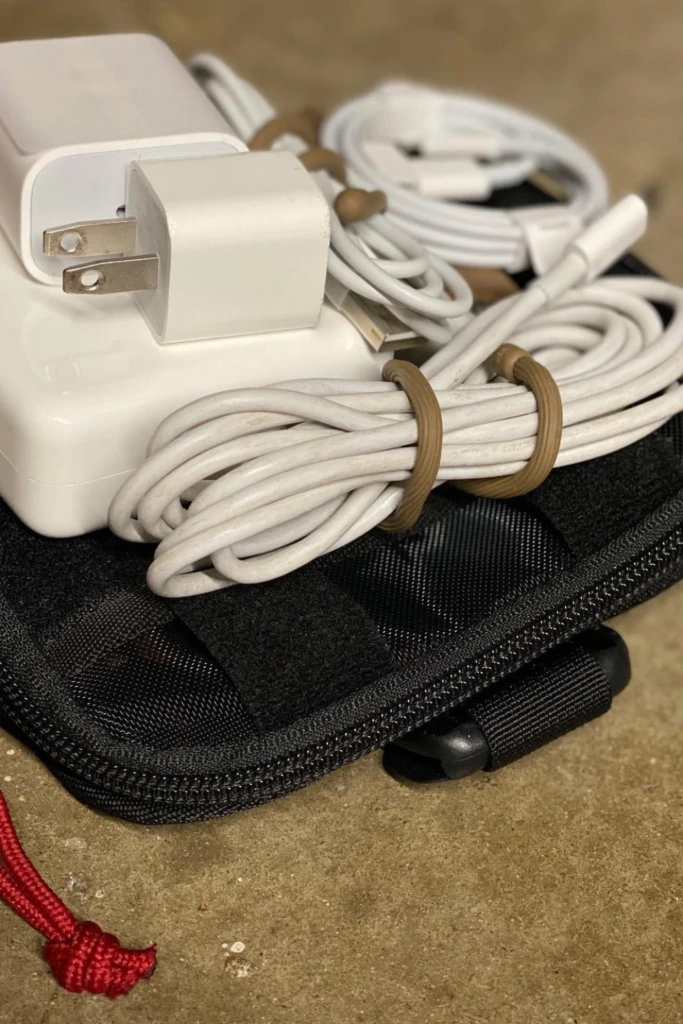
Keep travel essentials together and ready to go.
A dedicated travel kit prevents charging cables from getting lost among toiletries, documents, and other bag essentials. Choose a compact zippered pouch with separate pockets for cables, adapters, and small accessories.
Coil each cable loosely and secure it with a reusable strap before packing. Keep the chargers you use most often in an accessible compartment, and check your kit before leaving home so you don't carry unnecessary extras.
2. Labeled Cable Storage
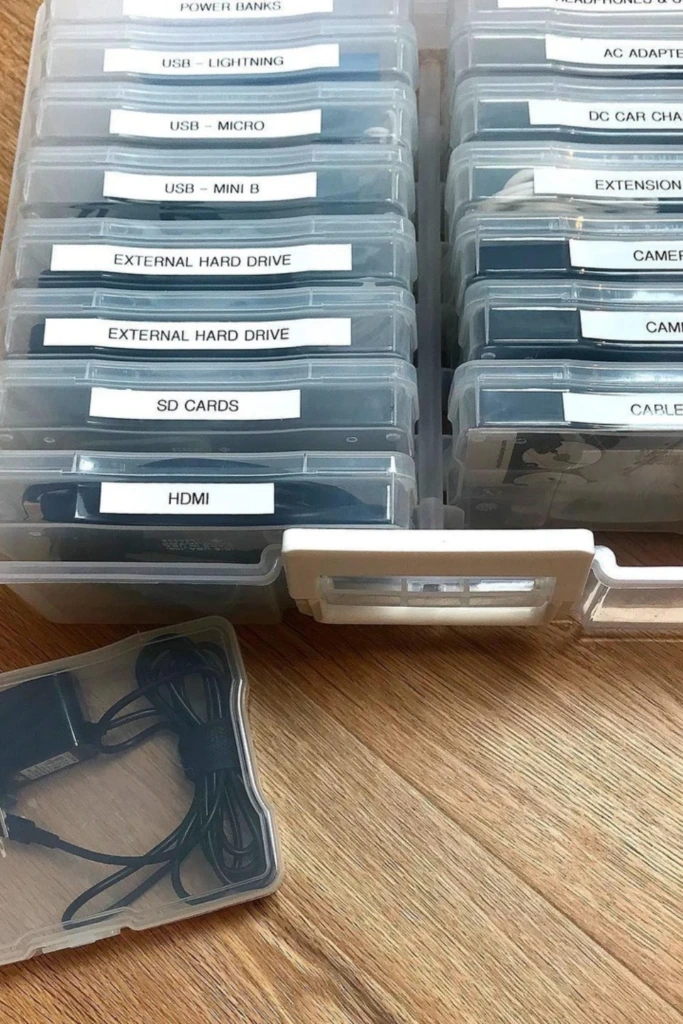
Labels make a collection of similar-looking cables much easier to navigate. Use small storage boxes or clear containers and mark each one according to its contents, such as USB-C cables, HDMI cords, or camera chargers.
If you have several cables of the same type, consider adding a brief label identifying the device they belong to. This system works particularly well in home offices, studios, and households with multiple electronic devices.
3. Wall Plug Wrap
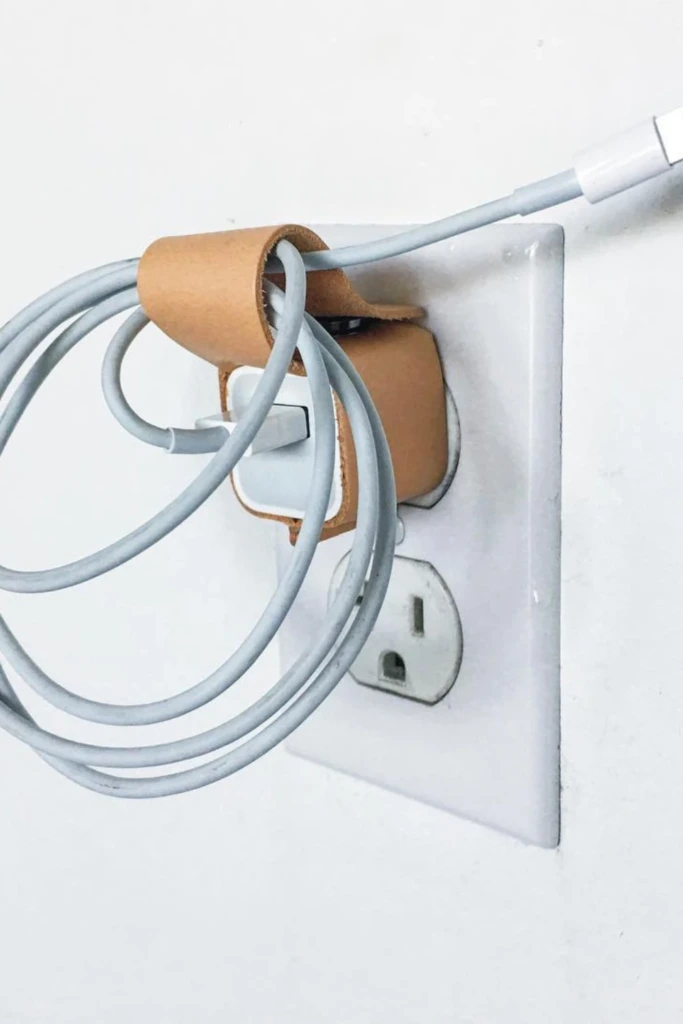
Charging cables can quickly become tangled around outlets and bedside tables. A small silicone wrap or reusable hook-and-loop strap keeps excess cable neatly coiled when it isn't in use.
Choose a wrap that holds the cord without squeezing it tightly. Avoid sharp bends near the connector, and never wrap a cable in a way that interferes with ventilation or causes an electrical adapter to overheat.
4. Category Cable Box
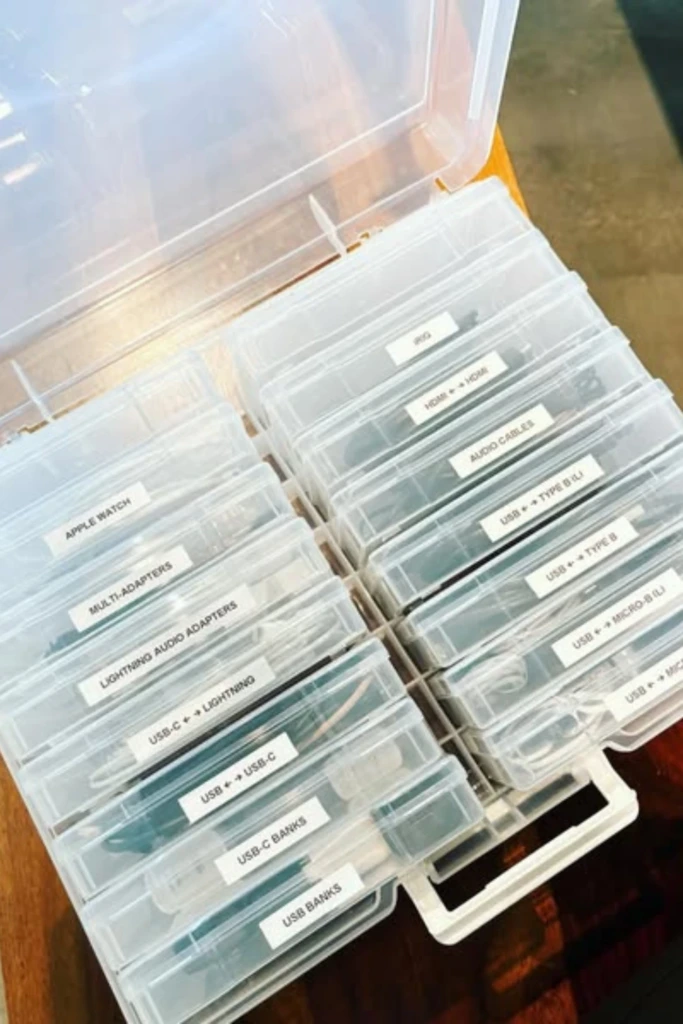
Give your spare cables a permanent storage location instead of allowing them to spread across several drawers. A box with separate compartments can hold charging leads, audio cables, computer accessories, and other electronics in distinct categories.
Stackable containers are especially useful when storage space is limited. Label each section clearly and return cables to the correct compartment after use. Keep the box somewhere dry and easy to reach.
5. Zippered Charging Case
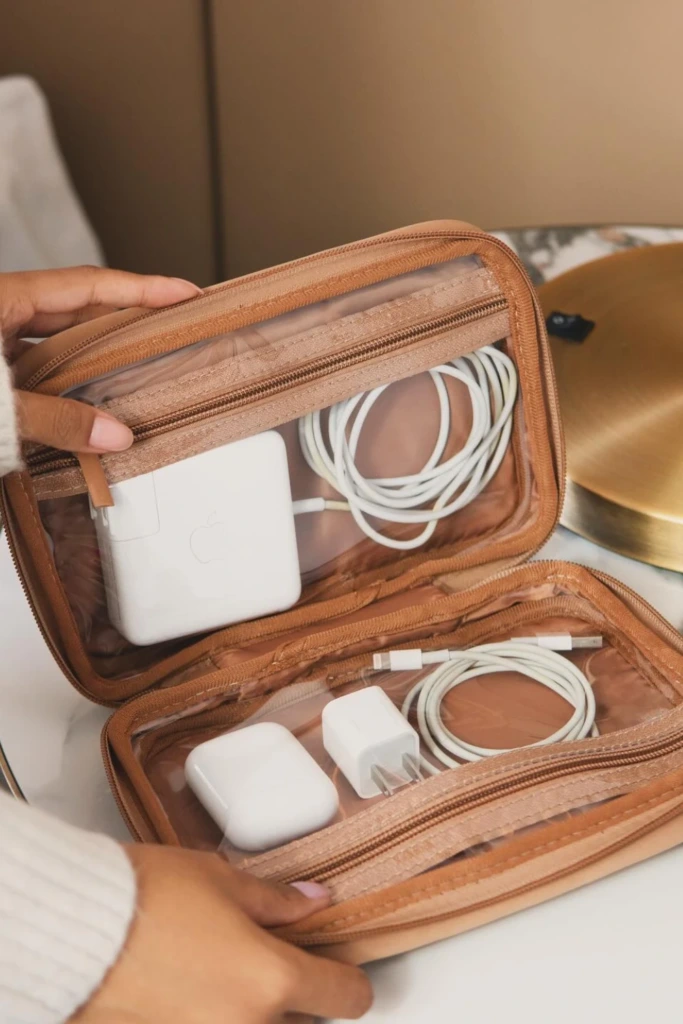
A zippered charging case is useful when you regularly carry several electronic accessories between home, work, and other locations. Mesh pockets and elastic loops keep individual items separated while reducing the chance of tangled cords.
Select a case that fits your actual collection rather than buying an oversized organizer. You can keep one cable for each essential device, along with the adapters you genuinely need.
6. Drawer Cable Sorting
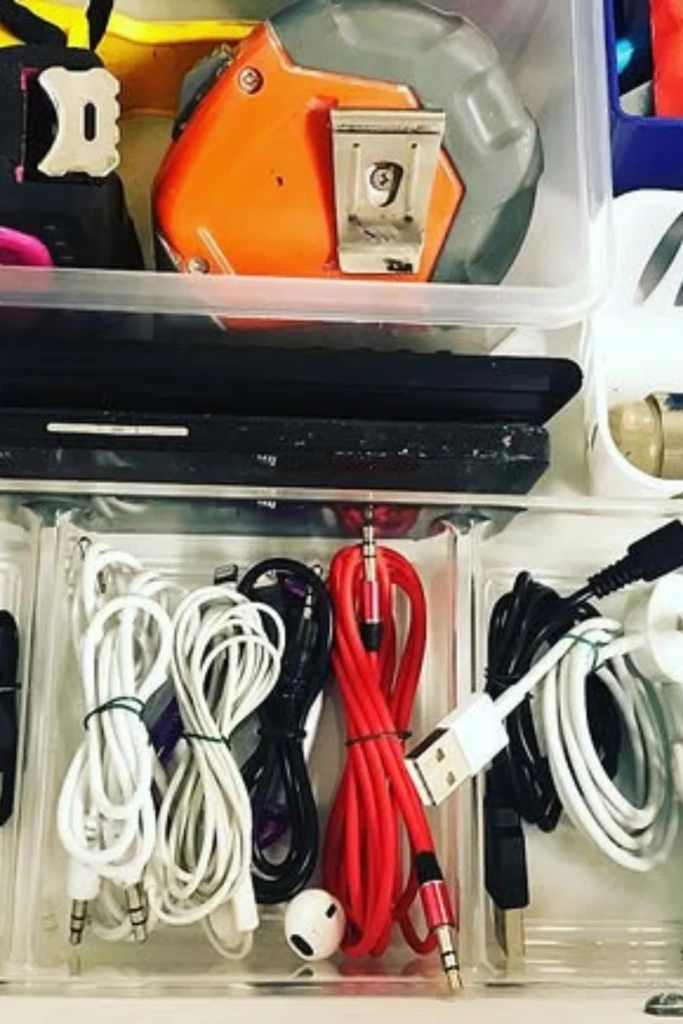
A drawer can be an excellent place to store cords, provided every item has a defined spot. Use small dividers to separate cable types and prevent loose wires from becoming intertwined whenever the drawer opens or closes.
Coil each cable before putting it away, and use reusable ties to keep it secure. Store frequently used cords near the front so you can retrieve them without disturbing everything else.
7. Length-Labeled Cords
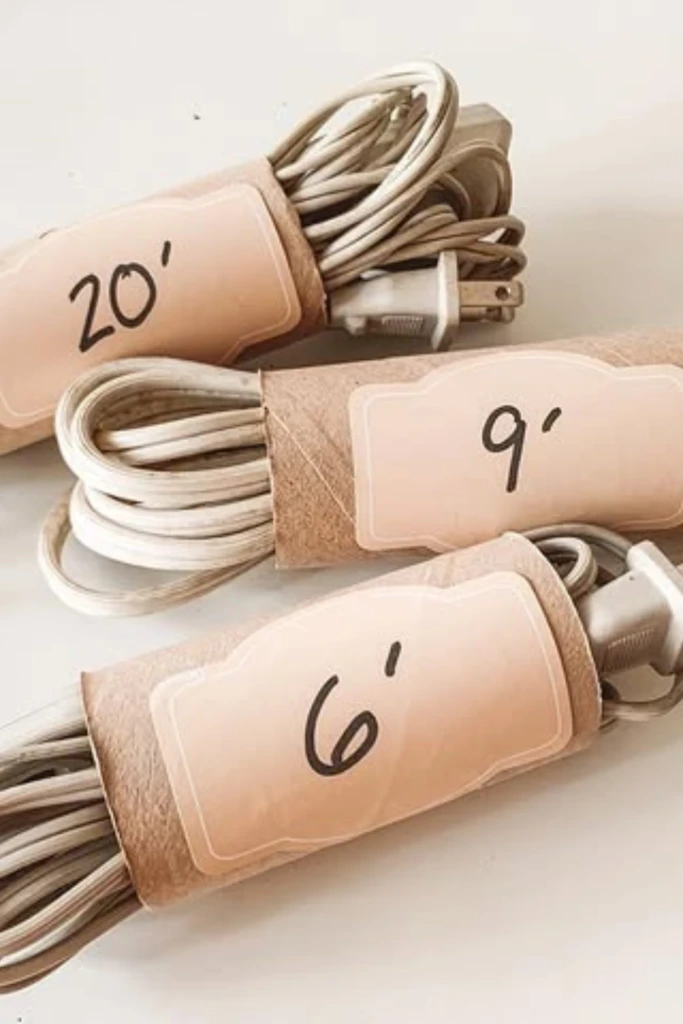
Cable length matters when you're connecting devices across a desk, setting up equipment, or charging a phone from a distant outlet. Marking each cable with its approximate length helps you select the right one without uncoiling several options.
Attach a small paper tag or reusable label to the cable. Include other helpful information, such as the connector type, when necessary. This approach is especially practical for people who keep short charging leads alongside longer extension cables.
8. Drawer Zone System
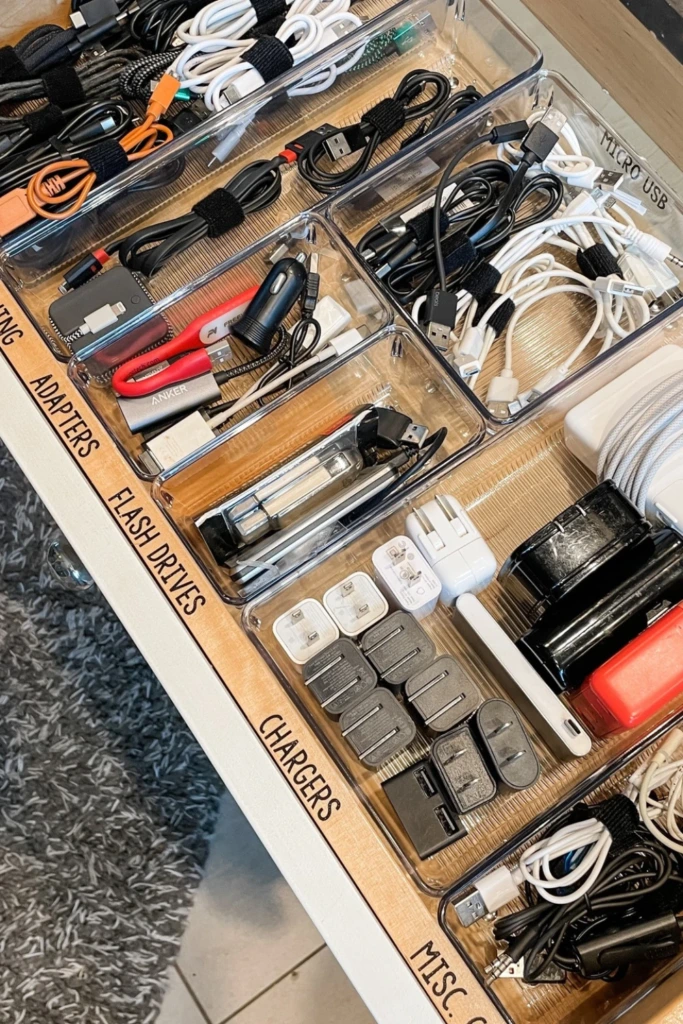
Instead of treating an entire drawer as one storage area, divide it into zones according to how you use your accessories. One section might hold everyday charging cables, another could contain computer connections, and a third could store occasional-use adapters.
Adjustable dividers make it easy to change the layout as your collection evolves. Keep the most frequently used items in the easiest-to-reach section, and avoid filling every available space with accessories you rarely need.
9. Hidden Charging Hub
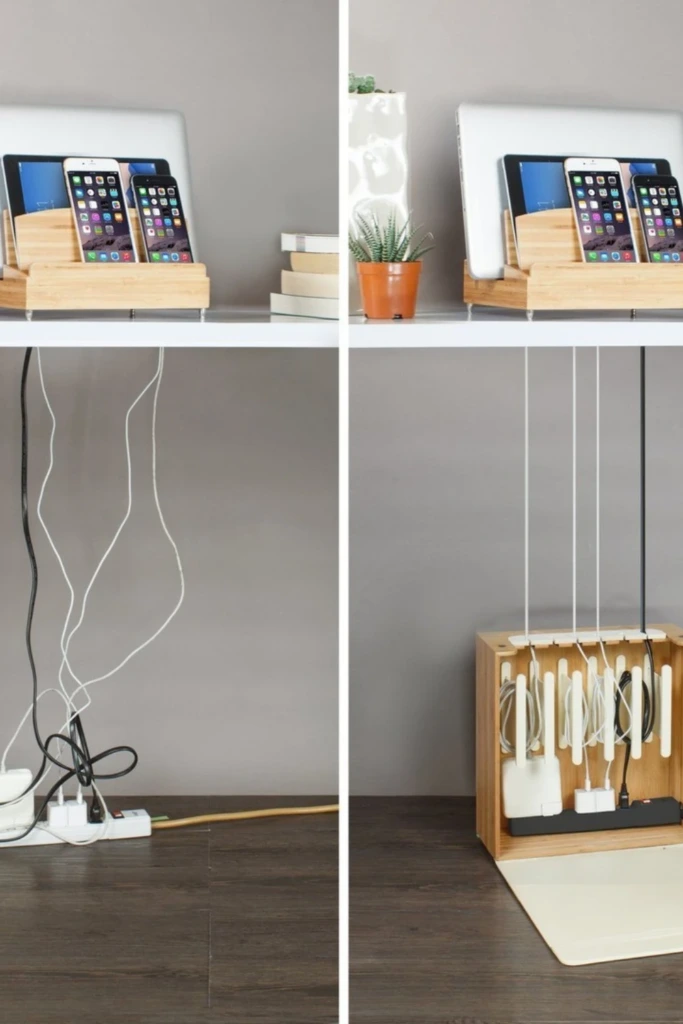
A central charging station reduces the number of loose cables scattered around your home. Choose one convenient location for phones, tablets, and other frequently charged devices, then route the necessary cords along the back or underside of the furniture.
Use clips to guide individual cables and keep the charging surface uncluttered. Make sure the station has suitable ventilation, compatible charging equipment, and enough room to access plugs safely.
10. Stacked Cable Drawers
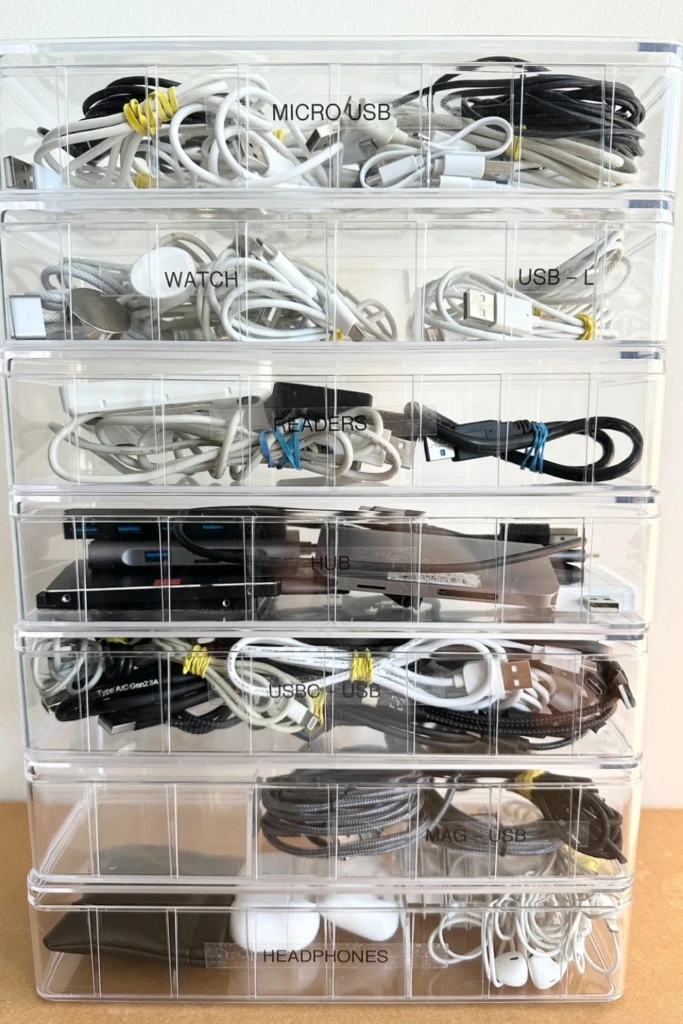
When a single drawer isn't enough, a vertical storage unit can expand your cable storage without occupying much floor space. Assign each drawer a category, such as computer cables, phone accessories, audio connections, or spare adapters.
Transparent drawers help you see what's inside, while simple labels make the arrangement even more convenient. Choose a stable unit that fits your available space and doesn't need to be moved every time you retrieve a cord.
11. Cable Box Station
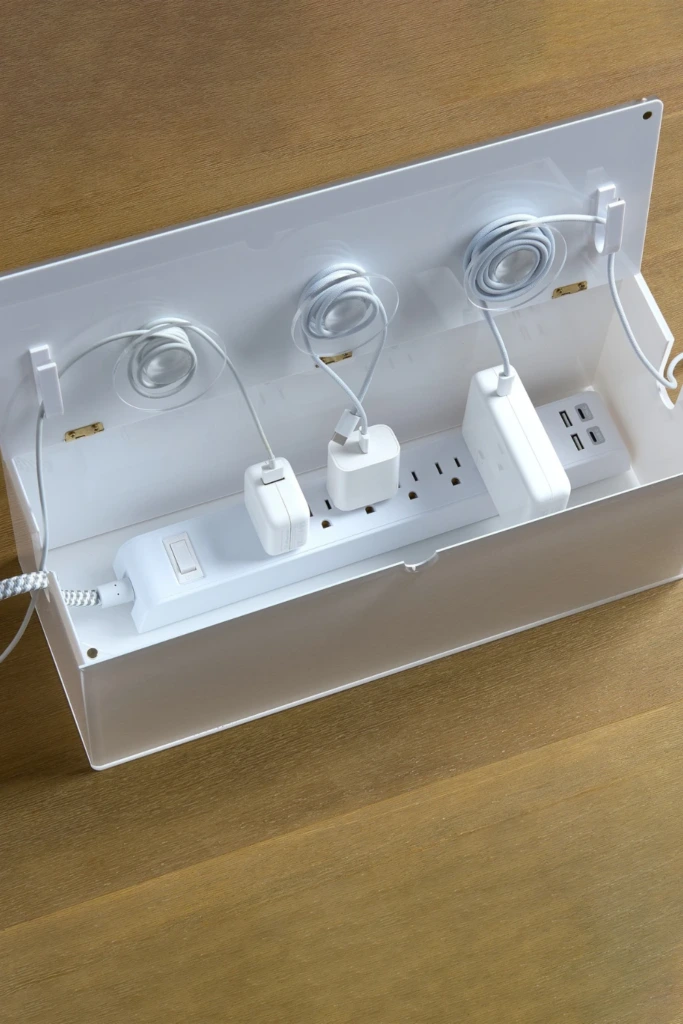
Power strips and their accompanying wires can make an otherwise tidy room look cluttered. A purpose-built cable management box helps conceal the strip and contain excess cord length in one designated area.
Choose a suitably sized, ventilated enclosure designed for cable management. Follow the power strip manufacturer's instructions, avoid overloading outlets, and leave enough access to disconnect equipment when needed. Never place a hot or damaged adapter inside an enclosed box.
12. Modular Drawer Pods
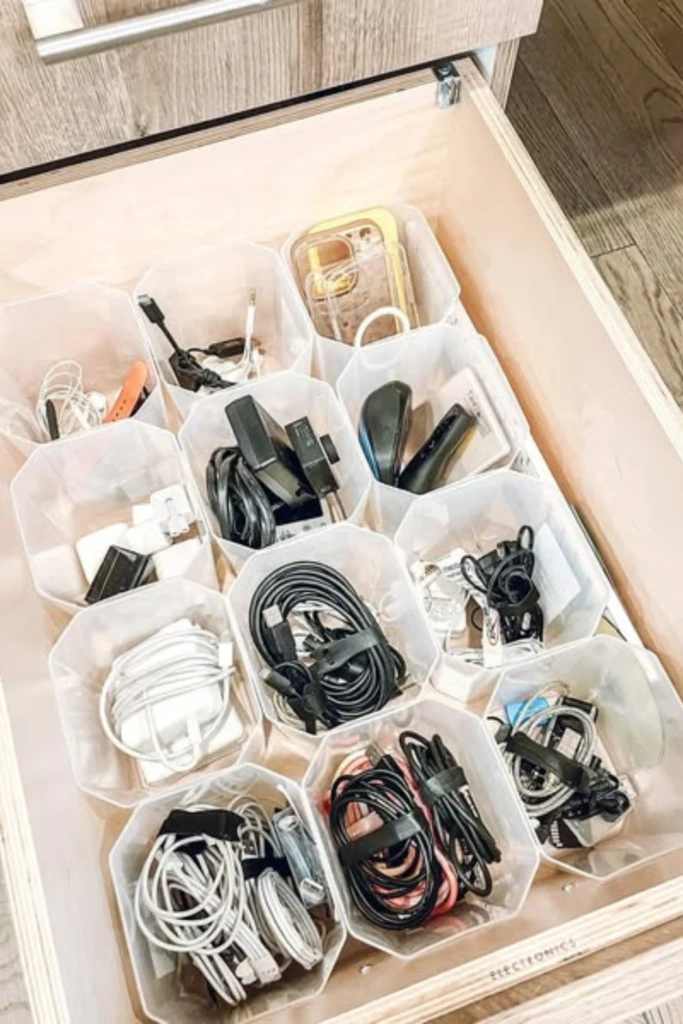
Modular storage pods offer a flexible way to organize cables in drawers of different sizes. Arrange the containers to create individual spaces for charging leads, connectors, adapters, and other small accessories.
Small fabric bins work well for lightweight items, while rigid plastic dividers provide more structure. The advantage of modular organizers is that you can rearrange them whenever your storage needs change.
13. Under-Desk Tray

An under-desk tray keeps power strips and excess cable length off the floor, making it easier to clean and move around your workspace. It also helps prevent wires from dangling around your feet.
Select a tray that can support your equipment and fits the desk's construction. Depending on the design, you may be able to attach it with clamps or screws. Route cables loosely, leave room for ventilation, and ensure plugs remain accessible for maintenance.
14. Cable Raceway Wall
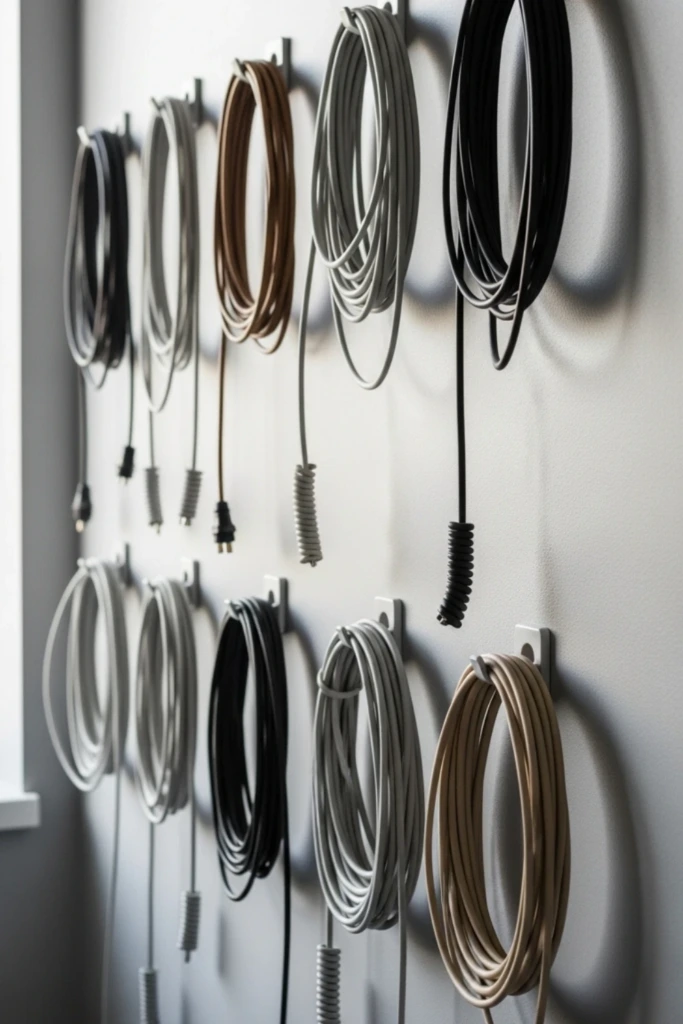
Wall-mounted cable raceways provide a neat way to conceal exposed wires running between a television, desk, or other equipment and an outlet. Many models can be painted to blend with the surrounding wall.
Measure the cable route before purchasing a raceway, and choose one with enough capacity for the wires it needs to hold. Install it according to the manufacturer's directions, and use only products suitable for the intended cable type. Electrical wiring inside walls should be handled according to local regulations.
15. Magnetic Cord Clips
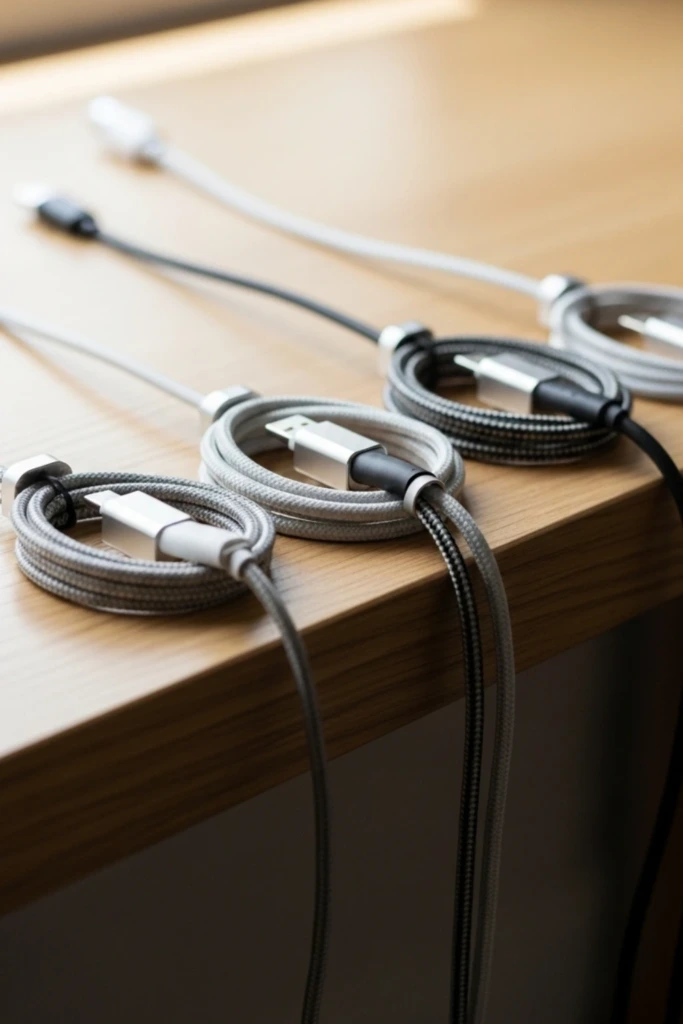
Charging leads often slip behind desks and nightstands when you disconnect a device. Magnetic cord clips help keep compatible cables in place so their ends remain easy to reach.
Attach the clips to a suitable surface near where you normally charge your devices. Check the clip's size against your cables before purchasing, and position it so the wire doesn't bend sharply or become trapped beneath furniture.
16. Pegboard Cable Wall
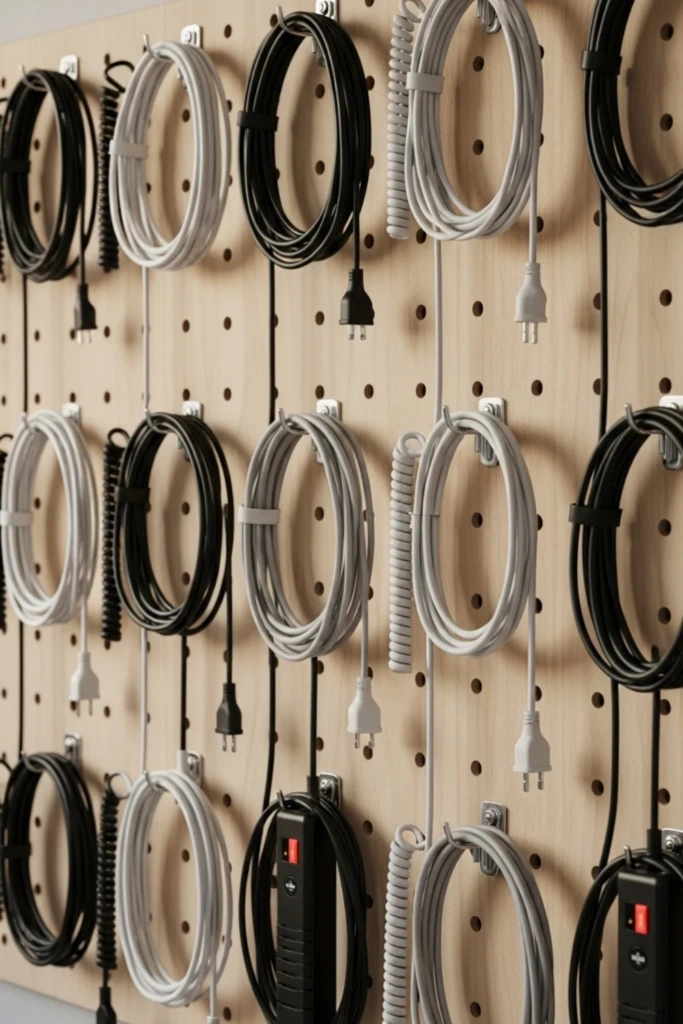
A pegboard turns an unused wall into practical storage for frequently used cables. With appropriately sized hooks and accessories, you can hang coiled cords separately instead of stacking them in a crowded drawer.
This idea is particularly useful in workshops, craft rooms, and home offices with a large collection of accessories. Label each hook or storage section so cables can be returned to their assigned places.
Make sure the board and hooks are securely mounted and rated for the items they hold. Keep electrical cables away from sharp tools and sources of heat.
17. Bedside Charging Shelf
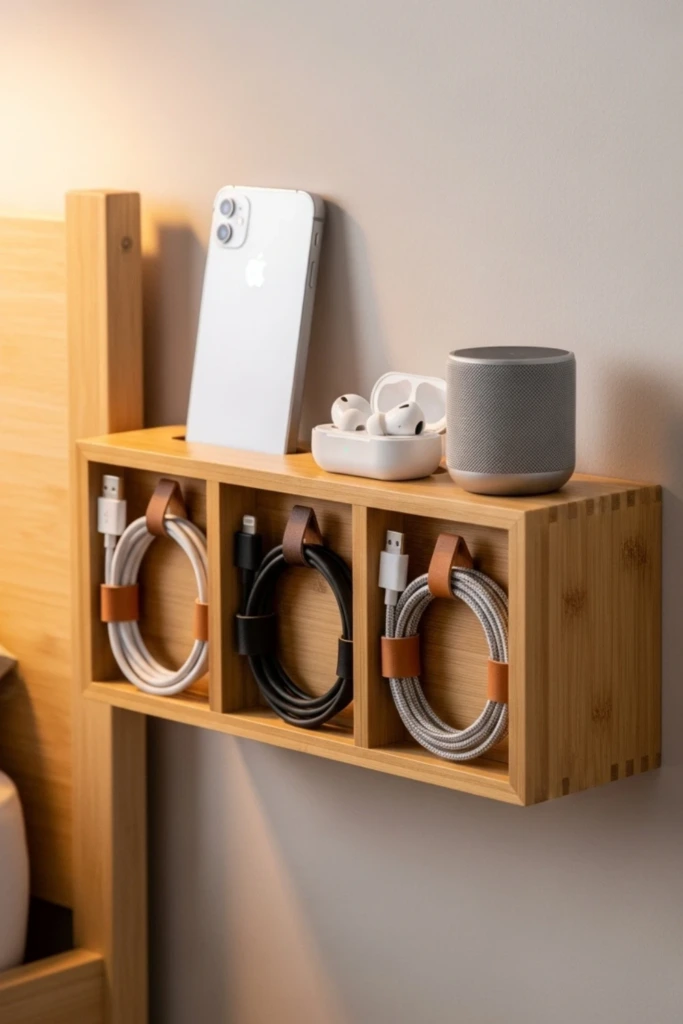
A small bedside shelf creates a dedicated spot for charging a phone or other personal device without crowding the nightstand. Some shelves include cable openings that help guide wires out of sight.
Choose a sturdy shelf with enough room for your device and charger. Route the cable through a suitable opening, keep the plug accessible, and make sure the cord cannot catch on bedding or become pinched between furniture.
18. Velcro Cable Spine
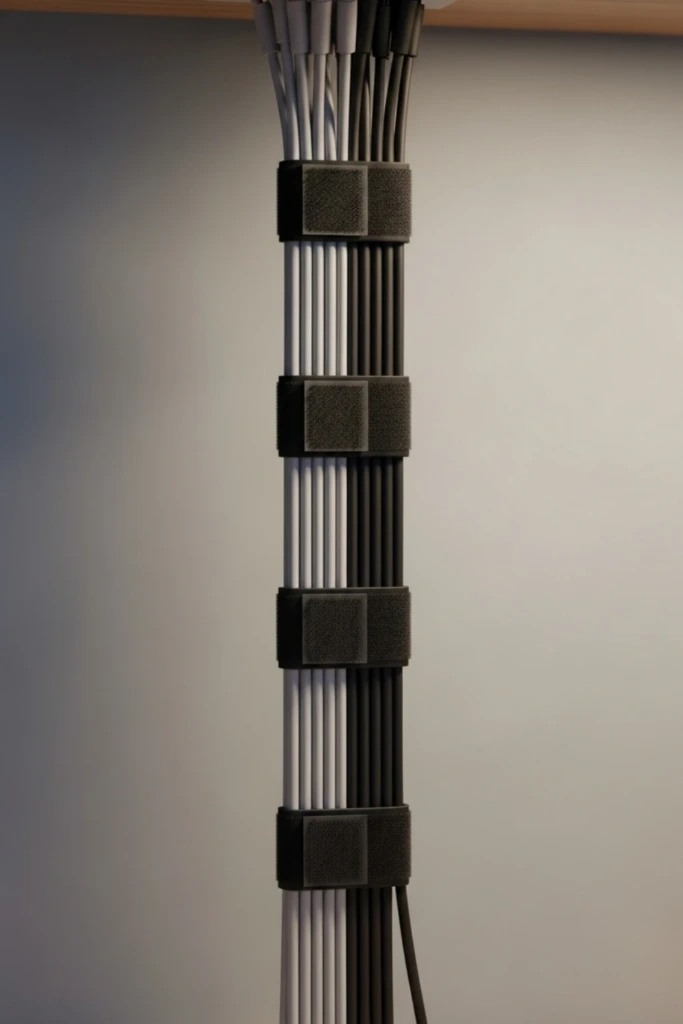
When several wires travel from a desk to the floor, bundling them into a single organized route can make the workspace look much cleaner. Reusable hook-and-loop straps allow you to group the cables without permanently fastening them together.
Arrange the wires loosely along a desk leg or another suitable support. Leave enough flexibility for individual cables to move when equipment is adjusted, and avoid pulling tightly around connectors. The straps can be reopened whenever you add or remove a device.
19. Label Both Ends
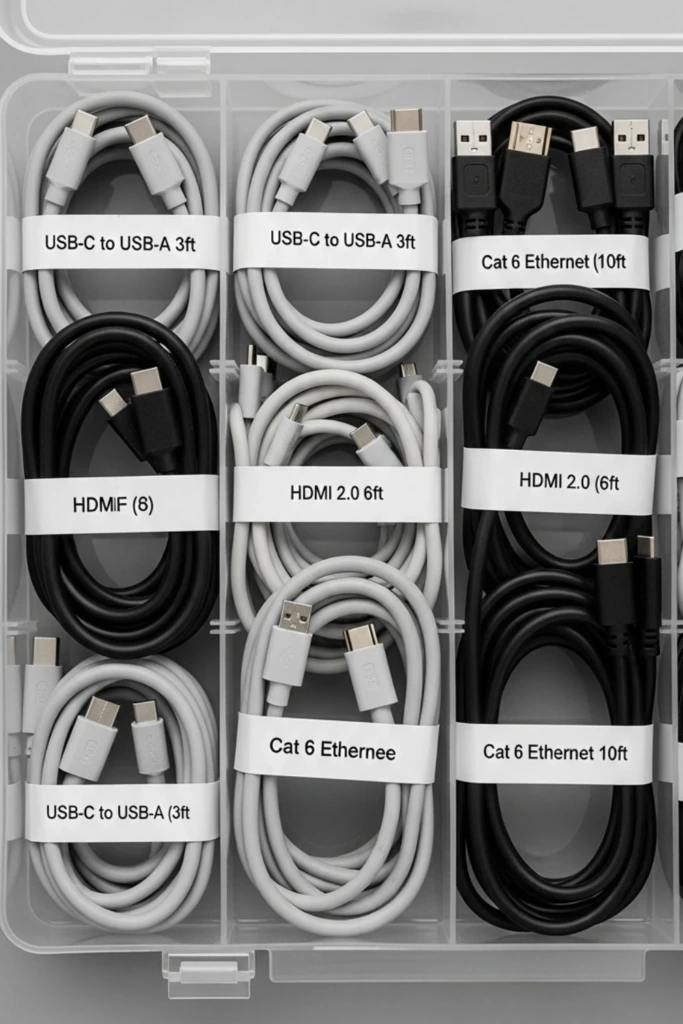
Labeling both ends of a cable is especially helpful when several wires run behind a television, computer, or entertainment center. You can identify where a cable starts and where it connects without tracing the entire route.
Use small wraparound labels or a label maker, and write clear descriptions such as “monitor power” or “router connection.” Keep labels away from the connector contacts and avoid covering vents or other parts that need to remain accessible.
This simple habit also makes troubleshooting and rearranging equipment much easier.
20. Furniture Cable Grommet
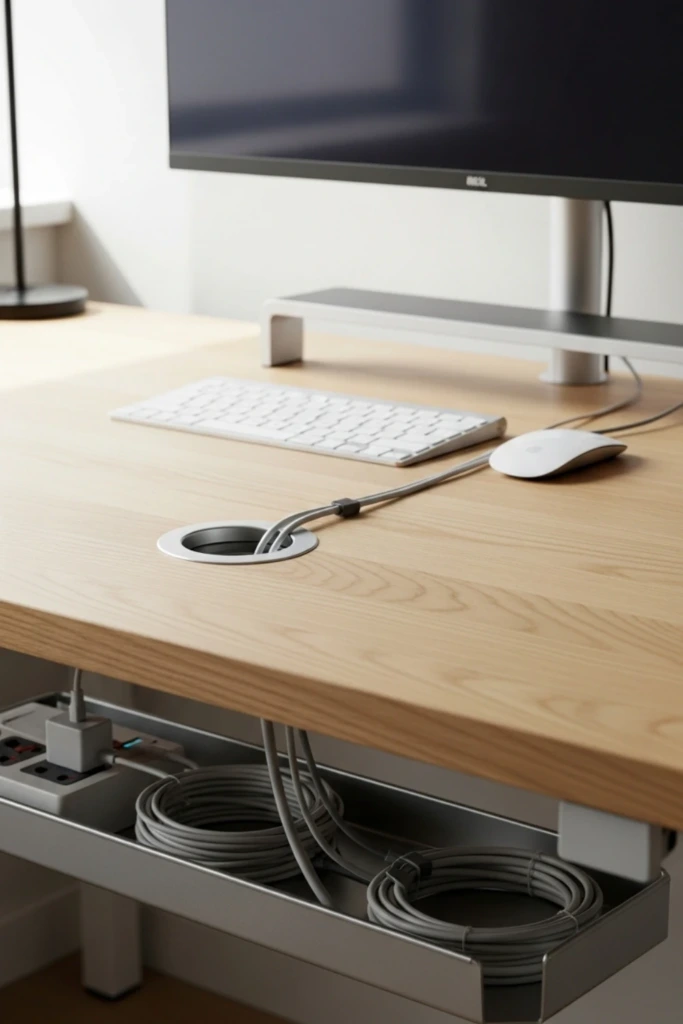
A cable grommet creates a dedicated opening through a desk or work surface, allowing wires to pass through instead of draping over the edges. It can be particularly useful for computer monitors, keyboards, and charging stations.
Choose a grommet that accommodates the number and thickness of your cables. Before drilling, check the furniture's construction and confirm that no wiring or other obstacles are hidden beneath the surface. If modifying the desk isn't practical, a removable cable guide may provide a simpler alternative.
21. Rolling Cable Cart
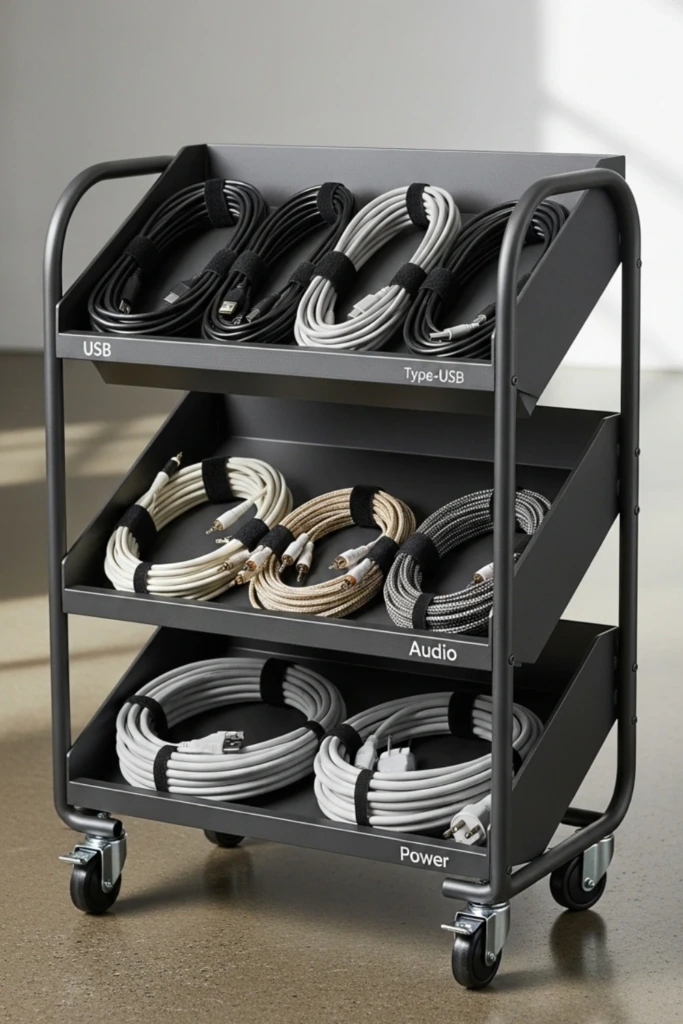
A small rolling cart is useful when cables, chargers, and accessories need to move between rooms. It can hold labeled containers, spare connections, and other equipment in one portable station.
Use the shelves to separate different categories and secure coiled cables so they don't fall off when the cart moves. Keep the cart stable, avoid overloading it, and unplug equipment before relocating the cart if movement could strain connected wires.
This solution works well for shared workspaces, craft rooms, and households with multiple charging needs.
22. Color-Coded Cables
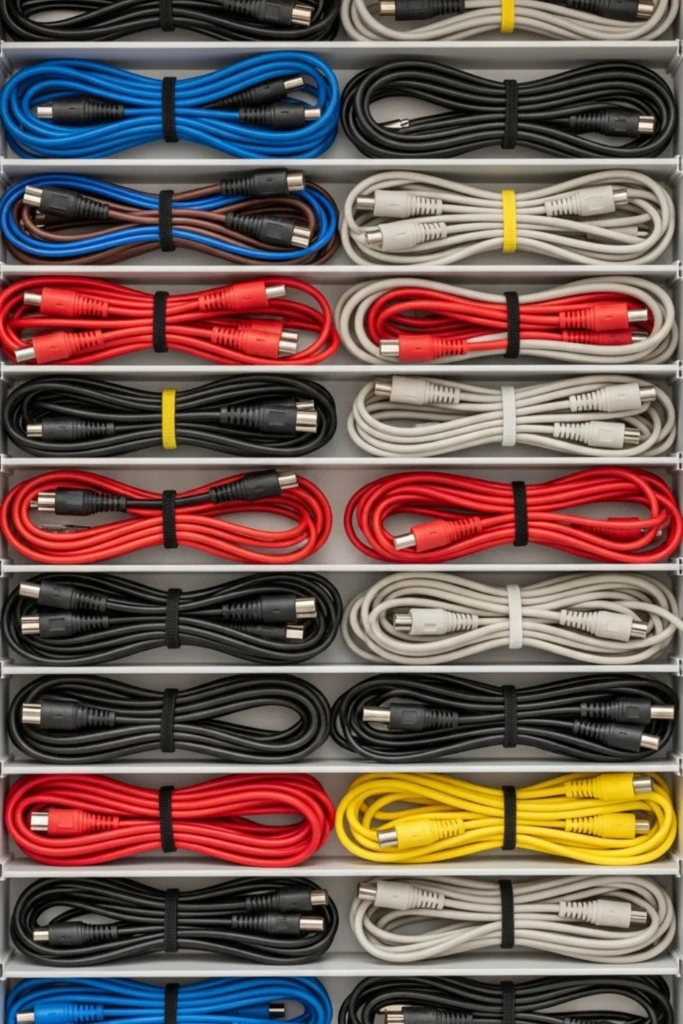
Color coding offers a quick visual way to distinguish cables that look nearly identical. For example, you could use one color for computer equipment, another for entertainment devices, and a third for travel accessories.
Apply colored reusable ties, clips, or cable sleeves to establish a consistent system. Keep a small reference note nearby if several people share the equipment. Choose colors that are easy to distinguish in your lighting conditions, and combine color coding with written labels when accuracy matters.
How to make cords less messy?
Begin by collecting your cables and removing damaged or unnecessary items. Separate the remaining cords by device or purpose, then decide where each group should be stored or routed.
Use reusable ties to secure spare cables, clips to guide cords along furniture, and labeled compartments to prevent tangling in drawers. For frequently used electronics, consider a cable tray or raceway that keeps wires away from walking areas.
The key is consistency: give every cable a designated place and return it there after use.
What are the benefits of cord management?
Organized cords make it easier to find the right cable, connect equipment, and clean around desks or entertainment centers. Keeping wires routed neatly can also reduce trip hazards, prevent accidental pulling, and help protect cables from being crushed or bent.
A well-planned setup improves the appearance of a room without sacrificing convenience. It can also make troubleshooting simpler because individual cables are easier to identify and access.
Good cord management combines organization with electrical safety. Replace damaged cables, avoid overloaded outlets, follow equipment instructions, and keep power connections accessible and appropriately ventilated.
23. Hi, I’m Jenny

At home, a few thoughtful organization habits can make everyday tasks feel simpler. Whether you're tidying a desk, sorting spare chargers, or creating a dedicated charging station, the goal is to build a system that suits your space and routine.
Start with the cables you already own, use storage solutions that meet your needs, and adjust the arrangement whenever it becomes inconvenient. A practical system doesn't have to be elaborate; it simply needs to make your cords easier to find, use, and put away.